Choosing the best WordPress hosting is not as simple as comparing prices and picking the cheapest plan. Hosting affects how fast your website loads, how well it handles traffic, how often it goes offline, and how much work you need to keep everything running properly.
There are also big differences between hosting providers. Some focus on low-cost shared hosting, while others offer managed WordPress hosting, cloud hosting, or plans built for businesses and agencies. The tools included with each plan can vary just as much. Backups, staging sites, caching, security, migrations, CDN access, and developer tools may be included, limited, or cost extra.
This comparison looks at six popular WordPress hosts: WordPress.com, Bluehost, Pressable, Cloudways, Kinsta, and SiteGround. Each provider has been tested and compared across the areas that matter when running a WordPress website.
The goal isn’t to name one host that works for everyone. A personal blog, WooCommerce store, client website, and busy online publication have very different hosting needs. Instead, the results should make it easier to see where each provider works well, where it falls short, and which type of WordPress website it suits best.
Best WordPress Hosting: Quick Recommendations
Not everyone needs to compare every plan and technical detail. These recommendations offer a quick starting point based on common WordPress projects. Each host has been selected for a different type of user, with performance, management tools, support, pricing, and the overall hosting experience taken into account.
| Category | Recommended Host | Best For |
|---|---|---|
| Best Overall WordPress Host | WordPress.com | Most WordPress websites, from blogs and business sites to larger projects. |
| Best WordPress Managed Host | Kinsta | Sites that need strong performance and a fully managed WordPress setup. |
| Best WordPress Blogger Host | Cloudways | Growing blogs that need more resources and control than basic shared hosting. |
| Best WordPress Developer Host | Pressable | Developers building, testing, migrating, and maintaining WordPress websites. |
| Best WordPress Agency Host | SiteGround | Agencies and teams managing multiple WordPress websites. |
| Best WooCommerce Host | WordPress.com | WooCommerce stores that need managed hosting and room to grow. |
| Best Budget WordPress Host | Bluehost | New and smaller WordPress websites where keeping costs low matters. |
Best Overall WordPress Host: WordPress.com
WordPress.com is our best overall host because it combines managed WordPress hosting with the flexibility and ease of use many websites need. It works well for blogs and business sites, with plans suitable for larger publications and WooCommerce stores.
Much of the technical work is handled for you, including caching, security, updates, SSL, and CDN access. All paid plans now support third-party plugins and custom theme uploads. Business adds daily backups, staging, SFTP, SSH, database access, WP-CLI, and other developer tools.
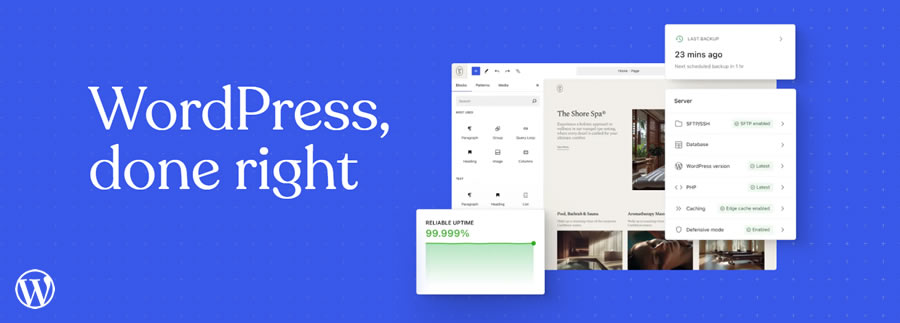
WordPress.com is run by Automattic, a company with deep ties to the WordPress open-source project and WordPress.org. That experience carries through to its managed hosting and support, which is useful when a problem involves both WordPress and the hosting platform.
There is less server maintenance to handle, while developers can choose Business when they need more advanced access. Those needing full server control may prefer cloud or VPS hosting.
Pricing varies between plans, so always compare promotional rates with the normal renewal price.

Further Information:
WordPress.com Plans & Pricing
- Personal: Supports third-party plugins and themes, custom CSS and code, along with security, support, and migration tools.
- Premium: Includes everything in Personal, with additional design, analytics, SEO, advertising, and monetization tools.
- Business: Adds daily backups, staging, SFTP, SSH, WP-CLI, database access, GitHub deployments, and other developer tools.
- Commerce: Includes the tools available with Business and adds WooCommerce and online selling tools.
| Plan | First Year Monthly Cost | Second Year Renewal Cost |
|---|---|---|
| Personal | $4 Per Month | $8 Per Month |
| Premium | $8 Per Month | $18 Per Month |
| Business | $25 Per Month | $40 Per Month |
| Commerce | $45 Per Month | $70 Per Month |
All data correct as of August, 2026.
Best WordPress Managed Host: Kinsta
Kinsta is our choice for the best managed WordPress host. It is built for WordPress sites that need strong performance, reliable hosting, and useful management tools without the site owner having to manage the server.
Every WordPress site runs in its own isolated container, with access to Kinsta’s cloud infrastructure and a choice of 30 data center locations. Server caching, edge caching, a Cloudflare-powered CDN, security, daily backups, and performance monitoring are included.

Kinsta also provides a strong set of developer tools, including DevKinsta. SSH and SFTP are included with all WordPress hosting plans, WP-CLI is installed by default, and staging gives developers a separate platform to test changes. MyKinsta also offers database management, logs, analytics, and Kinsta’s APM performance tool.
The main drawback is price. Kinsta costs more than budget WordPress hosting, so it is harder to justify for a small personal site. But for businesses, busy publications, stores, and other sites where performance and support matter, the extra cost makes sense.

Further Information:
Kinsta Plans & Pricing
- Single Site Plans: Built for one WordPress website, with several levels based on traffic or bandwidth. All include CDN, edge caching, daily backups, staging, security, migrations, SSH, SFTP, and WP-CLI.
- Multiple Site Plans: Designed for users who manage several WordPress installations. These plans increase the number of sites and available resources while keeping them under one Kinsta account.
- Agency Plans: Made for agencies that manage larger collections of client sites. They provide higher limits and more capacity while retaining the same managed WordPress platform and development tools.
- Custom Plans: Available for WordPress projects that need more resources than the standard plans provide. These are better suited to very busy sites and projects with unusual hosting requirements.
| Plan | First Year Monthly Cost | Second Year Renewal Cost |
|---|---|---|
| Single Site | $35 Per Month | $35 Per Month |
| Multiple Site | $70 Per Month | $70 Per Month |
| Agency | Starting at $340 Per Month | Starting at $340 Per Month |
All data correct as of August, 2026.
Best WordPress Blogger Host: Cloudways
Cloudways is our choice for the best WordPress blogger host, particularly for established blogs and publications that have grown beyond basic shared hosting. It provides managed cloud hosting while still giving site owners more control over server resources than most managed WordPress platforms.
With Cloudways Flexible, WordPress can run on cloud infrastructure from DigitalOcean, Vultr, Linode, AWS, or Google Cloud. You choose the provider, server size, and location, while Cloudways handles much of the server setup and management. Resources can also be increased as traffic grows.

WordPress tools include server caching, staging, cloning, automated backups, SSL, migrations, security tools, SSH, SFTP, Git, and WP-CLI. Multiple WordPress sites can also run on the same server, provided it has enough resources.
This flexibility is why Cloudways works well for established bloggers. A growing publication can increase its hosting resources without moving to another platform. The tradeoff is complexity. There are more server settings to understand than with WordPress.com or Kinsta. But for bloggers comfortable managing WordPress, that extra control can be useful.

Further Information:
Cloudways Plans & Pricing
- DigitalOcean: The most practical starting point for many WordPress blogs. Plans provide dedicated cloud resources, SSD or NVMe storage, vertical scaling, and a choice of server locations.
- Vultr: Offers a broad choice of data center locations and server configurations. It is useful when the main audience is closer to a Vultr location or a different server setup is required.
- Linode: Another option for blogs that want predictable cloud resources and a choice of server locations while keeping Cloudways responsible for much of the server management.
- AWS: Uses Amazon Web Services infrastructure and provides more server configuration choices. It is generally more expensive and is better suited to sites with requirements that justify the added cost.
- Google Cloud: Runs WordPress on Google Compute Engine through the Cloudways dashboard. Like AWS, it provides flexible server resources but usually costs more than the simpler cloud options.
| Plan | First Year Monthly Cost | Second Year Renewal Cost |
|---|---|---|
| DigitalOcean Micro | $11 Per Month | $11 Per Month |
| DigitalOcean Small | $24 Per Month | $24 Per Month |
| DigitalOcean Medium | $46 Per Month | $46 Per Month |
All data correct as of August, 2026.
Best WordPress Developer Host: Pressable
Pressable is our choice for the best WordPress developer host. It is a fully managed WordPress platform from Automattic, the company behind WordPress.com and WooCommerce, and runs on its WP Cloud infrastructure. That WordPress focus is one of the main reasons it works so well for development work.
Developers get staging and sandbox environments for every site, along with SSH, SFTP, WP-CLI, Git, database access, and other tools needed for building and maintaining WordPress sites. DupliKits can also be used to create reusable site templates, which can save time when several projects start with a similar setup.
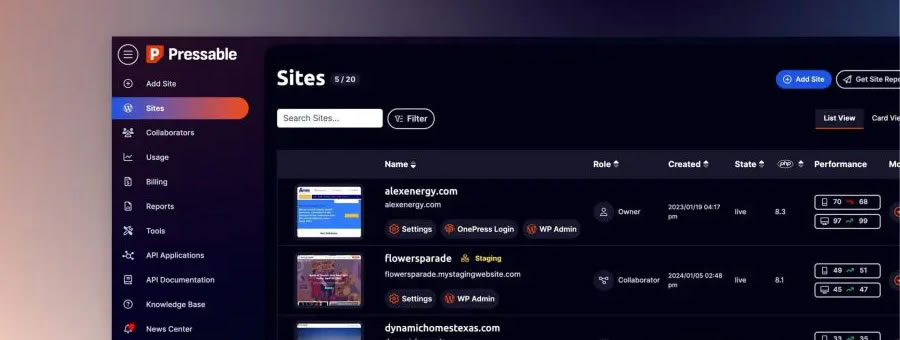
Pressable handles much of the hosting work in the background. Hourly and daily backups, caching, security monitoring, automatic scaling, a global CDN, and site migrations are included. There is also 24/7 support from a team that works with WordPress every day.
Pricing is higher than budget hosting, but that is not really what Pressable is competing with. The value comes from reducing server maintenance while keeping the development tools needed for regular WordPress work. For freelance developers and teams managing several sites, that balance makes Pressable a strong choice.

Further Information:
Pressable Plans & Pricing
- Signature 1: Supports one WordPress site, 30,000 monthly visits, and 20GB of storage. Suitable for developers managing a single business or client site.
- Signature 2: Supports three WordPress sites, 50,000 monthly visits, and 30GB of storage. Useful for developers who manage a small collection of client sites.
- Signature 3: Supports five WordPress sites, 75,000 monthly visits, and 35GB of storage. Offers more room for freelancers maintaining several active WordPress projects.
- Signature 4: Supports ten WordPress sites, 150,000 monthly visits, and 50GB of storage. Excellent for developers and small teams that manage a larger group of websites.
- Signature 5 and Above: Plans increase from 20 to 100 WordPress installations, with higher traffic and storage limits. They are aimed at larger development teams and agencies with many sites.
| Plan | First Year Monthly Cost | Second Year Renewal Cost |
|---|---|---|
| Signature 1 | $25 Per Month | $25 Per Month |
| Signature 2 | $45 Per Month | $45 Per Month |
| Signature 3 | $60 Per Month | $60 Per Month |
| Signature 4 | $90 Per Month | $90 Per Month |
| Signature 5 | $155 Per Month | $155 Per Month |
All data correct as of August, 2026.
Best WordPress Agency Host: SiteGround
SiteGround is our choice for the best WordPress agency host. It combines managed WordPress hosting with tools for building, testing, managing, and handing client websites once a project is complete and launched. GrowBig and GoGeek also allow multiple websites under one account, which makes them better suited to agency work than the single site StartUp plan.
SiteGround handles many routine hosting jobs, including WordPress updates, daily backups, caching, CDN access, SSL, security, and server maintenance. GrowBig and GoGeek also include WordPress staging, while developers have access to SSH, SFTP, WP-CLI, databases, and other common development tools.
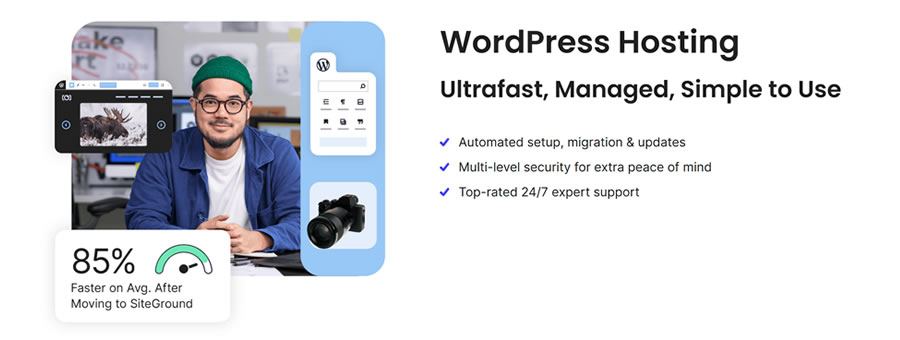
The agency tools are the main reason for choosing SiteGround here. Team members can be added as collaborators without sharing the main account login. Finished websites can also be transferred to clients while the agency remains attached as a collaborator. GoGeek adds white label client access, so clients using Site Tools do not see SiteGround branding.
The main drawback is renewal pricing. SiteGround offers large discounts for the first year, but regular rates are much higher. Agencies should use those renewal prices when calculating the long-term cost of hosting client websites.

Further Information:
SiteGround Plans & Pricing
- StartUp: Supports one website, around 10,000 monthly visits, and 10GB of storage. It includes managed WordPress tools, daily backups, caching, CDN access, SSL, and email. The single site limit makes it less useful for agency hosting.
- GrowBig: Supports unlimited websites within its resource limits, around 100,000 monthly visits, and 50GB of storage. It adds more server resources, WordPress staging, on-demand backups, and collaboration tools. This is a good starting point for smaller agencies.
- GoGeek: Supports unlimited websites within its resource limits, around 400,000 monthly visits, and 100GB of storage. It provides more server resources and adds white-label client access, making it the strongest shared hosting plan for agencies managing client websites.
| Plan | First Year Monthly Cost | Second Year Renewal Cost |
|---|---|---|
| StartUp | $2.99 Per Month | $17.99 Per Month |
| GrowBig | $4.99 Per Month | $29.99 Per Month |
| GoGeek | $7.99 Per Month | $44.99 Per Month |
All data correct as of August, 2026.
WordPress.com is our choice for the best WooCommerce host. WooCommerce can now be installed on any paid WordPress.com plan, giving store owners more choice over how much hosting and how many store tools they actually need.
The close connection with WooCommerce is a major advantage. WordPress.com and WooCommerce are both part of Automattic, so the hosting platform is built and supported by people with a deep understanding of WordPress and WooCommerce. This becomes useful when a problem involves the store, WordPress, and the hosting environment.
For larger stores, the Commerce plan includes everything in Business, along with WooCommerce and additional selling tools. This includes real-time backups, staging, SFTP, SSH, database access, payment tools, shipping integrations, automated taxes, product recommendations, and other WooCommerce extensions.
WordPress.com also handles much of the hosting work, including caching, security, updates, SSL, and server management. Store owners can concentrate on products, orders, customers, and sales rather than maintaining the server. It may cost more than basic WooCommerce hosting, but the managed setup makes more sense as a store becomes busier.
Further Information:
WordPress.com Commerce Plans & Pricing
- Personal: WooCommerce can be installed alongside third-party plugins and themes. It provides a low-cost starting point for a very small store, but it does not include the advanced backups, staging, and developer tools available on higher plans.
- Premium: Includes everything in Personal, along with additional design, analytics, SEO, advertising, and monetization tools. WooCommerce can be installed, although growing stores may benefit from the stronger hosting tools available with Business.
- Business: Adds real-time backups, staging, SFTP, SSH, database access, WP-CLI, and other developer tools. WooCommerce can be installed normally, making Business a good choice for store owners who want to build their own WooCommerce setup.
- Commerce: Includes everything in Business and adds WooCommerce with a collection of store tools and extensions. It supports unlimited products and orders, payments, shipping integrations, automated taxes, product recommendations, abandoned cart emails, and other selling tools.
| Plan | First Year Monthly Cost | Second Year Renewal Cost |
|---|---|---|
| Personal | $4 Per Month | $8 Per Month |
| Premium | $8 Per Month | $18 Per Month |
| Business | $25 Per Month | $40 Per Month |
| Commerce | $45 Per Month | $70 Per Month |
All data correct as of August, 2026.
Best Budget WordPress Host: Bluehost
Bluehost is our choice for the best budget WordPress host. Its lower-priced plans provide the tools needed to run a blog, portfolio, small business site, or other WordPress project without paying the higher monthly cost of premium managed hosting.
WordPress hosting includes managed updates, SSL, CDN access, malware scanning, backups, migration tools, and a domain for the first year. Bluehost also provides a 99.99% uptime SLA and several server locations. WordPress setup and site management are handled through a dashboard aimed at users who may not have much hosting experience.

Starter is the obvious choice for smaller sites, while Business provides more storage, supports more websites, and adds further security and backup tools. Higher performance plans are available when a site needs more resources, so there is room to move beyond the entry-level packages.
The main issue is renewal pricing. Bluehost offers large discounts for the initial term, but the regular price is considerably higher. That needs to be included when comparing it with other budget hosts. For a smaller WordPress site where keeping the initial cost low matters, Bluehost still provides a strong set of hosting tools for the money.

Further Information:
Bluehost Plans & Pricing
- Starter: Supports up to ten websites with 10GB of NVMe storage. It includes managed WordPress updates, CDN access, SSL, malware scanning, weekly backups, migration tools, and a domain for the first year. It is the best fit for blogs and smaller WordPress sites.
- Business: Supports up to 50 websites with 50GB of NVMe storage. It provides more room for growing sites and is better suited to users managing several WordPress installations or a busier business website.
| Plan | First Year Monthly Cost | Second Year Renewal Cost |
|---|---|---|
| Starter | $4.79 Per Month | $11.99 Per Month |
| Business | $7.79 Per Month | $15.99 Per Month |
All data correct as of August, 2026.
Most WordPress hosts include more than just server space. Backups, staging sites, caching, CDN access, SSL, security, and migration tools reduce the amount of work needed to maintain a site. A host may advertise backups but run them only weekly, or offer staging only on its more expensive plans.
There is also a difference between a tool being included and it being well connected to the hosting platform. The right setup depends on whether the project needs simple management or greater control.
| Host | Backups | Staging | CDN | Server Caching |
|---|---|---|---|---|
| WordPress.com | Plan dependent | Plan dependent | Yes | Yes |
| Bluehost | Plan dependent | Plan dependent | Yes | Yes |
| Pressable | Yes | Yes | Yes | Yes |
| Cloudways | Yes | Yes | Available | Yes |
| Kinsta | Yes | Yes | Yes | Yes |
| SiteGround | Yes | Plan dependent | Yes | Yes |
Developer requirements can be very different from those of someone running a single blog. Staging sites, SSH, SFTP, WP-CLI, Git, database access, logs, and local development tools will save a lot of time. They are also useful when testing updates or tracking down a problem without making changes directly on a live site.
Cloudways provides the greatest server control of the hosts compared here, while Kinsta and Pressable combine strong development tools with a more managed setup. WordPress.com also provides many common development tools on suitable plans. SiteGround covers most everyday development needs, while Bluehost provides enough access for many smaller projects.
The main question is how much control is actually required. More server access is useful for some developers, but it also means taking responsibility for more of the hosting setup.
| Host | SSH | WP-CLI | Git | Staging |
|---|---|---|---|---|
| WordPress.com | Plan dependent | Plan dependent | Plan dependent | Plan dependent |
| Bluehost | Yes | Yes | Limited | Plan dependent |
| Pressable | Yes | Yes | Yes | Yes |
| Cloudways | Yes | Yes | Yes | Yes |
| Kinsta | Yes | Yes | Yes | Yes |
| SiteGround | Yes | Yes | Yes | Plan dependent |
AI tools are starting to appear in WordPress hosting platforms. Many providers now use it to help monitor websites, detect security threats, improve performance, and simplify routine management tasks. Some platforms also include AI assistants that can answer questions, troubleshoot common issues, or help configure hosting settings.
While these tools can save time, they shouldn’t be the main reason for choosing a host. Performance, reliability, support, and security still matter more. AI is best viewed as a useful addition rather than a replacement for a well-managed hosting platform.
The table below shows how the six hosts in this comparison currently approach AI.
| Host | AI Tools | What They Can Do |
|---|---|---|
| WordPress.com | AI Website Builder, WordPress Agent, AI Support, MCP | Build sites, edit pages and layouts, create and edit content and images, get AI support, and connect outside AI agents such as ChatGPT and Claude to WordPress. |
| Bluehost | AI Site Creation Tools | Uses AI during the site creation process to help generate a starting design and content for a new WordPress website. |
| Pressable | WordPress AI Compatibility | Focuses on providing managed WordPress hosting that can run third-party AI plugins and services rather than supplying a large collection of its own AI tools. |
| Cloudways | AI Assistant and Hosting Tools | Uses AI within parts of its hosting platform to help with hosting management and support while allowing WordPress AI plugins to run normally. |
| Kinsta | AI Traffic and Bot Management | Does not currently focus on AI site creation. Its newer tools include controls for managing AI crawlers and automated traffic reaching WordPress sites. |
| SiteGround | AI Website and Content Tools | Provides AI-assisted site creation and content tools, with AI used mainly to help users build and manage website content. |
All data correct as of August, 2026.
WordPress.com currently has the most complete AI setup of the hosts compared here. Its AI website builder can create a new WordPress site, while WordPress Agent continues working inside the site after it has been built. It can help with content, layouts, images, pages, and other editing jobs.
The more interesting addition for developers is MCP support. WordPress.com can connect with outside AI agents such as ChatGPT, Claude, Cursor, and other compatible tools. These agents can read site information and, with permission, carry out tasks such as creating posts, managing content, working with media, and changing site settings. MCP is available across paid WordPress.com plans.
Other hosts are using AI in narrower ways, often concentrating on initial site creation, content generation, or hosting support. Those tools can still be useful, but they should not be a major reason to choose a host on their own. Hosting performance, support, backups, security, development tools, and long-term cost still matter much more.
How to Choose a WordPress Host
Choosing a WordPress host is one of the biggest decisions you’ll make for your website. Your hosting provider affects performance, reliability, security, and how easy your site is to manage. The right host will keep your website running smoothly and give you access to support when you need it.
No hosting plan suits every website. A personal blog has different needs than an online store or an agency managing client sites. Knowing what your website requires before comparing providers will help you narrow your options and avoid paying for services you won’t use.
When comparing hosts, look at uptime, page speed, server locations, backups, staging sites, security, support, and renewal pricing. These factors often matter just as much as the monthly cost.
The articles below cover the main topics involved in choosing a WordPress host. Whether you’re building your first website or moving to a new provider, they’ll help you compare your options and make a confident choice.
WordPress Hosting for Different Needs
Choosing a hosting plan that matches your needs can improve performance, make your website easier to manage, and help you avoid paying for resources you won’t use. As your website grows, you can move to a plan with more storage, power, and management tools.
Whether you’re building your first WordPress website, running an online store, or managing client sites, understanding the strengths of each hosting option will make it easier to choose the right provider.
WordPress Performance & Security
A good hosting provider gives your WordPress website a solid foundation, but hosting is only part of the picture. Your website’s setup, the tools you use, and your security practices all affect performance, reliability, and keeping your visitors safe.
Many WordPress hosts include caching, content delivery networks (CDNs), backups, malware scanning, and SSL certificates. Knowing how these features work will help you get more from your hosting plan. Regular maintenance also helps keep your website running well. Updating WordPress, plugins, and themes, monitoring performance, and following good security practices can prevent many common problems.
The articles below cover the tools and techniques that can improve website speed, strengthen security, and simplify day-to-day management.
Managing Your WordPress Hosting
Launching a WordPress website is only the start. Regular maintenance helps keep your website secure, reliable, and running smoothly. Many hosting providers include tools that simplify routine tasks, but it still helps to understand how they work.
Common tasks include migrating websites, installing SSL certificates, updating PHP, managing domains, restoring backups, and monitoring uptime. Learning these skills will help you solve problems more quickly and get more from your hosting provider.
Whether you’re looking after one website or several client projects, a regular maintenance routine can reduce downtime and keep your websites in good shape.
The articles below cover the most common hosting management tasks and show you how to handle them with confidence.
-
When Your WordPress Website Has Outgrown its Hosting
How do you know when a hosting change is needed? Here are a few things to consider.
-
Hosting Your Client’s WordPress Website
Learn how to avoid common hosting mistakes when hosting WordPress sites for clients.
-
Understanding Your Web Host
Your host may not cover all your needs. Take these steps to ensure your website runs smoothly.
-
Building a Performant WordPress Website
Learn how to boost performance with better hosting, lighter themes, and smart optimzation strategies.
-
What To Know About Your Client’s WordPress Website
We cover what to check first, including themes, plugins, custom code, hosting, and unused tools.
-
Add an SSL Certificate to Your WordPress Website
A quick SSL certificate setup can mean big benefits for your site and visitors.
-
WordPress Website Email Issues
Learn how to test sending, check logs, change the from address, set up SMTP, or use a mail delivery service.
Final Verdict: Which WordPress Host Should You Choose?
WordPress.com is our best overall choice because it works for a broad range of WordPress projects while handling much of the hosting management. It is suitable for blogs, business websites, larger publications, and WooCommerce stores, with access to plugins, themes, staging, backups, security, caching, and development tools on suitable plans.
Kinsta is the better choice for users who want premium managed WordPress hosting and are willing to pay more for it. Cloudways suits established bloggers and publications that want greater control over server resources. Pressable is our choice for developers because its managed platform includes a strong set of WordPress development tools.
SiteGround makes sense for agencies managing several client websites, particularly when collaboration and site management tools are needed. And Bluehost remains the budget choice for smaller WordPress sites where keeping the hosting bill low matters more than having advanced management tools.
No host wins every category because WordPress websites have different requirements. The best option is the provider that has enough performance and resources for the site, includes the tools that will actually be used, and remains affordable after introductory pricing ends. For most WordPress users looking for a balance across those areas, WordPress.com gets our overall recommendation.
WordPress Hosting FAQs
WordPress hosting can look more complicated than it needs to be. Hosting companies use different plan names, prices, limits, and technical terms, even when the services are similar. These answers cover some of the most common questions about choosing and using WordPress hosting.
- What is the best hosting for WordPress?
WordPress.com is our best overall WordPress host because it combines managed hosting with good performance, security, backups, CDN access, and WordPress support. Kinsta is our choice for managed hosting, Cloudways for bloggers, Pressable for developers, SiteGround for agencies, and Bluehost for smaller budgets. - How much should WordPress hosting cost?
Basic WordPress hosting can cost only a few dollars per month, while managed hosting may cost $20 to $50 per month or more. Larger sites and stores can cost considerably more. Always check the regular renewal price because introductory rates can make the first term look much cheaper. - Do I need managed WordPress hosting?
No. Smaller blogs, portfolios, and business sites can run well on lower-cost hosting. Managed WordPress hosting becomes more useful for busy sites, stores, and businesses that benefit from automatic backups, security, caching, staging, and WordPress-focused support. - Can I change WordPress hosts later?
Yes. WordPress sites can be moved between hosting providers. Many hosts provide migration tools or will move the site for you. Keep the old hosting active until the new site has been checked and the domain is pointing to the new server. - Does better hosting make WordPress faster?
Better hosting can improve WordPress performance by providing faster servers, more resources, caching, and CDN access. But hosting cannot fix every problem. Large images, heavy themes, slow plugins, external scripts, and database problems can still make a site slow. - Is WordPress hosting different from regular web hosting?
WordPress hosting is web hosting set up with WordPress in mind. It may include WordPress updates, caching, backups, security, staging, WP-CLI, and specialist support. WordPress can also run on regular hosting as long as the server meets its requirements. - Do I need separate hosting for WooCommerce?
No. WooCommerce runs on WordPress and does not require a separate type of hosting. But stores can need more server resources because carts, checkout pages, customer accounts, orders, and stock changes create more database activity than a typical WordPress site. - How much traffic can WordPress hosting handle?
There is no single number. A cached blog and a busy WooCommerce store can use very different resources even with the same number of visitors. Check the host’s traffic, bandwidth, storage, CPU, memory, and other resource limits before choosing a plan.
Updates to This Guide
We regularly review this guide to keep pricing, plan details, hosting tools, and recommendations up to date. Major changes are recorded below.
- :
- Reviewed hosting plan limits, and renewal costs across all recommended providers.
- :
- Article Published.
Related Topics
Read more articles by Paul Andrew