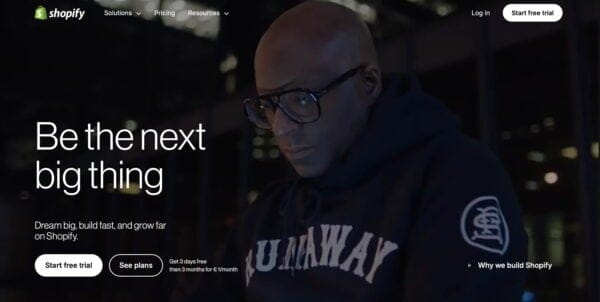
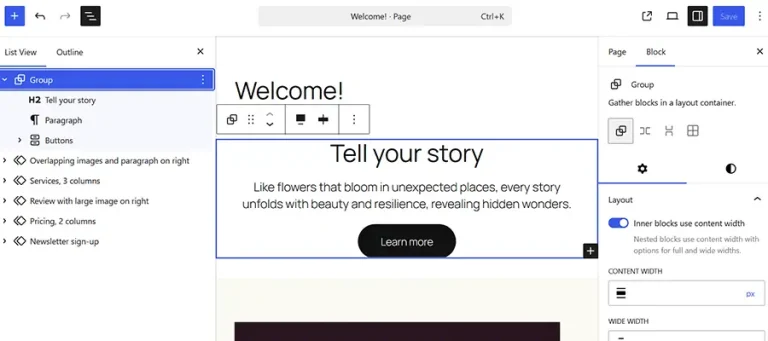
long-term organic growth.
The opportunity in post-purchase content
Once someone starts using your product or receives their purchase, they often turn to Google (or your internal search) for answers about setup, usage, sizing, care, troubleshooting, or returns, depending on your business and industry. This is where content such as help centers, knowledge bases, product explainers, FAQs, or how-to guides comes into play. If they’re structured well, optimized for real user queries, and regularly updated, they become long-tail SEO machines.
Another overlooked asset is community forums or customer reviews/Q&A sections. Real user questions and real answers lead to long-tail keywords and user-generated content that basically maintains itself.
SEO benefits of retaining users and reducing churn
Retention isn’t just a product or support goal, but an SEO goal too. Engaged users generate more branded searches, click through internal content more often, share links, leave reviews, and make repeat purchases, creating positive engagement signals.
Reducing churn means people stay in your ecosystem longer, giving your website content more opportunities to show up, get linked, and build authority.
How to identify high-value post-conversion content
This part isn’t guesswork; you already have the answers. The key is to tap into the real questions and friction points your users experience after they convert. Here’s how to do it:
1. Support tickets
Look at the most common questions that indicate that something is not working or that users don’t understand something. If the same issue keeps popping up, that’s a signal you need better documentation or that your current documentation is not easy to find.
How to use it:
Turn top support issues into searchable help documents, step-by-step tutorials, or even short videos embedded in your knowledge base or product pages.
2. Customer interactions
Your customer-facing teams hear things you won’t get from tickets. They will understand why certain products, features, or steps in the buying journey cause confusion.
How to use it:
Create content that supports onboarding or post-purchase usage, expands on underused products, features, or clarifies key steps in getting value from what was purchased. Pull direct language from how customers describe problems and try to use it to your advantage. They’ll likely use the same language to search for a solution.
3. Internal search queries
Your internal site or knowledge base search is one of the best indicators of intent. What users search for after logging in or visiting your site tells you exactly what they are struggling with.
How to use it:
Identify top queries that return poor results or no results. Create or improve content that answers those questions. Optimize titles, headers, and metadata so the right article appears first.
4. Feature usage or product engagement data
Low usage doesn’t always mean low interest; it might mean unclear setup, poor discoverability, or hidden value.
How to use it:
Look at features or products with low adoption but high impact. Interview users who use them and reverse-engineer what made it work for them. Then build content that guides others to the same outcome.
Types of high-value content to create
- Feature walkthroughs or product usage guides: clear, step-by-step guides and how-tos with screenshots or GIFs.
- Setup checklists: especially for more complex products
- Integration or compatibility guides
- Advanced use case tutorials
- Other explainers and tactful guides for common mistakes
These pieces not only improve user experience but also target long-tail search queries, reduce support load, and strengthen retention.
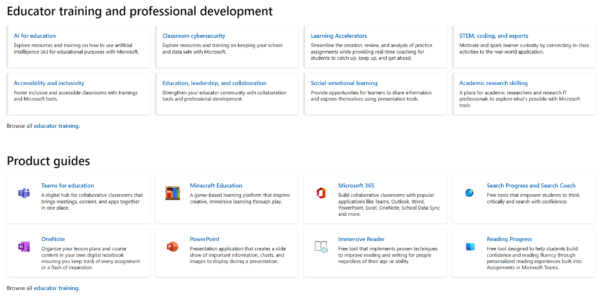
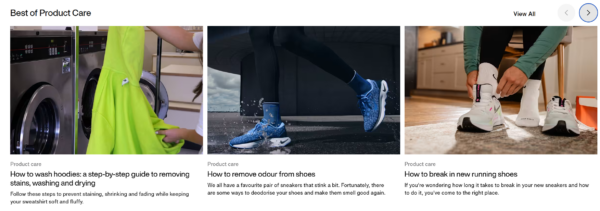
Below are examples of great post-conversion content:
Internal linking strategies that keep users engaged
Post-conversion content shouldn’t live in isolation. It should be linked, surfaced, and reused across your entire ecosystem.
Ways to keep users moving:
- Link between related help documents
- Add “next steps” CTAs to knowledge base articles
- Include product education content in lifecycle emails
- Use breadcrumbs, related content widgets and in-context links
Done right, this turns your post-conversion content into an internal SEO web that improves engagement and makes users more confident in using your products.
Why supporting existing users is good SEO and good business
If your SEO strategy only focuses on acquisition, you’re leaving money (and traffic) on the table. Post-conversion content helps users get more value from your products, reduces friction, and builds long-term loyalty, all while creating indexable, intent-driven pages that search engines can surface at key moments.
Want to take action? Start by auditing your post-conversion content. Map out the key moments after signup or purchase, and ensure users receive support at each step. Surface help docs, feature guides, and tutorials where they are needed most and connect them with clear, intentional internal links.
SEO isn’t just about discovery. It’s about usability. It’s about confidence. It’s about making sure your users stay, not just show up. If you want to build long-term, defensible growth, that’s where you should be focusing.